Shopify workflow automation: 10 workflows worth building, and in what order
Automate the moments where money leaks first: carts, COD orders, order updates and reorders. Then build out from there.
Contents
Shopify workflow automation means setting up workflows that run by themselves when something happens in your store: a checkout is abandoned, a COD order is placed, a parcel is delivered, a customer goes quiet for two months. The ones worth building first are those tied directly to revenue, because they cover the moments where money slips away when nobody follows up in time. Start there, measure, then expand.
How a Shopify workflow works
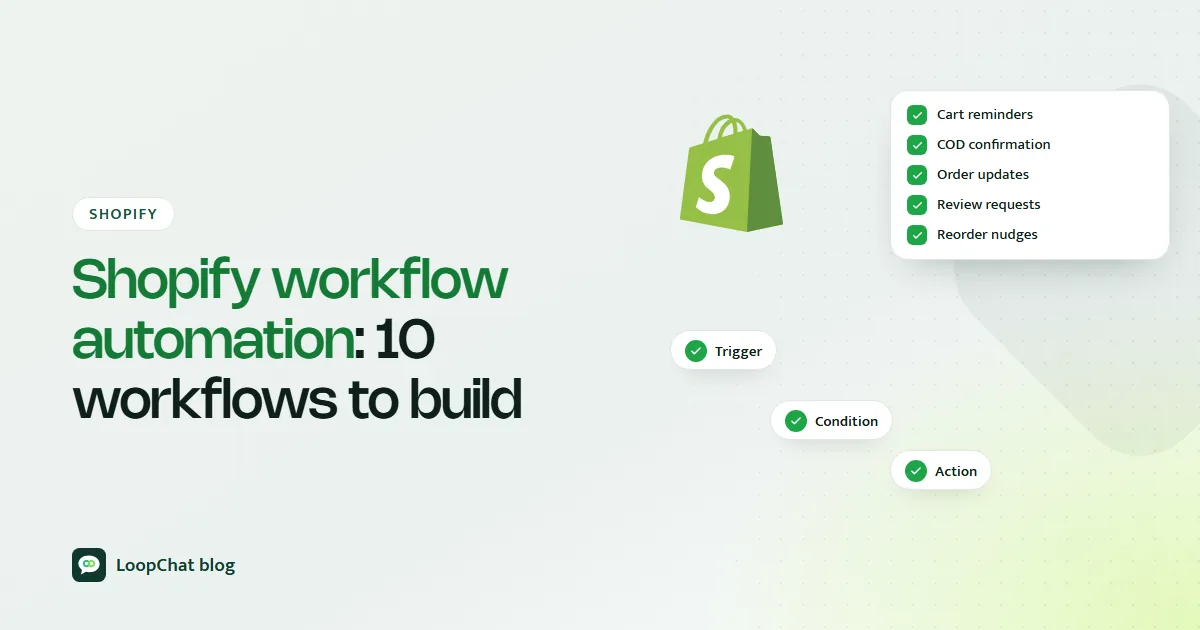
Every automation, whatever tool runs it, has the same three parts:
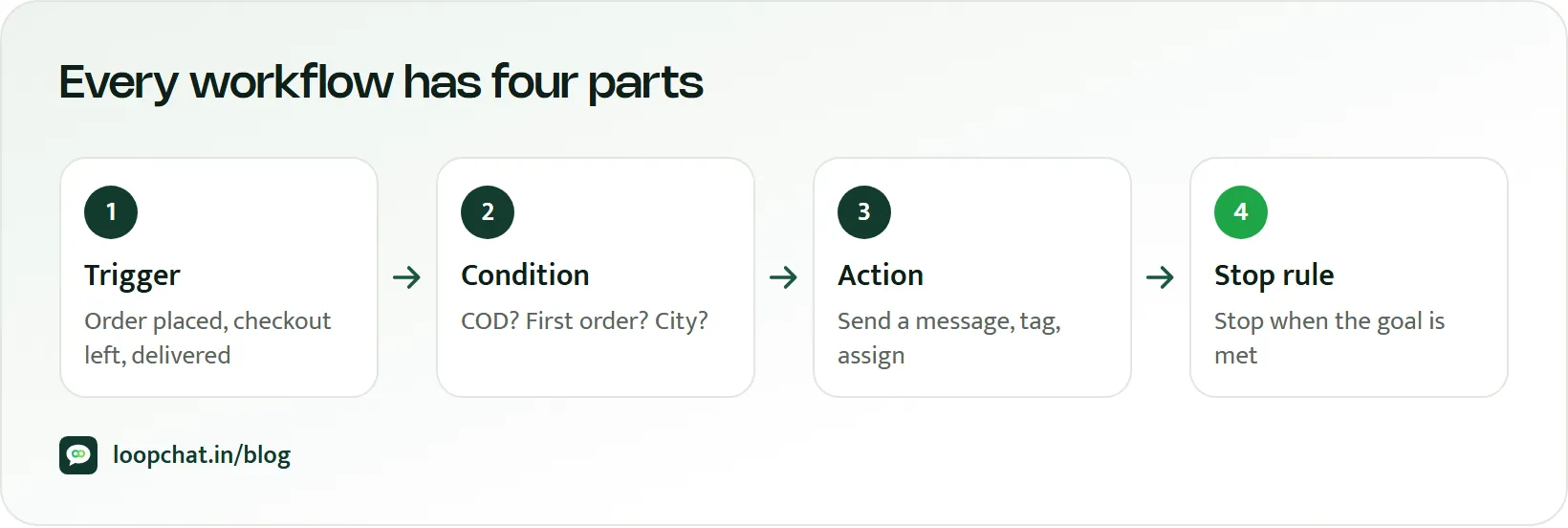
- A trigger: the event that starts it, such as an order being created or a checkout being abandoned.
- Conditions: the filters that decide who it applies to, such as payment method is COD, order value above ₹2,000, or customer tagged "wholesale".
- Actions: what happens next, such as send a message, add a tag, notify a teammate or wait three days and check again.
Shopify has its own automation app, Shopify Flow, which is free and available on the Basic, Grow, Advanced and Plus plans, per Shopify's Help Center. Flow is excellent for work inside your store: tagging high-value customers, alerting your team about low stock, flagging risky orders. Some actions are limited by plan; for example, the Send HTTP Request action needs Grow, Advanced or Plus.
Customer-facing messaging is usually where a dedicated tool comes in, because Indian shoppers respond on WhatsApp far more readily than they open email. A sensible split: Flow for internal store housekeeping, a WhatsApp and chat platform for the conversations. Our roundup of Shopify automation tools for 2026 compares the options.
Start from the work, not the tools
The wrong way to automate is to install apps until the store feels automated. Automation for its own sake does not move revenue, and it often just adds noise.
A better starting question: if your team had unlimited time, what would they do by hand for every customer? They would message everyone who left a checkout half-filled. They would call each COD buyer to confirm before handing the parcel to the courier. They would remind a regular customer that her face serum is probably running out. They would answer every pre-sales question within a minute.
A team of three cannot do that for 200 orders a day. Automation exists to do exactly that work, consistently, at a scale people cannot sustain.
Ten workflows that pay for themselves
1. Abandoned checkout and cart recovery
Shopify treats a checkout as abandoned when it stays incomplete for more than ten minutes after the customer enters their email, and its built-in automation can email those customers a link back to their cart. A WhatsApp reminder alongside, sent to shoppers who gave their number and agreed to hear from you, reaches people who rarely check promotional email. Timing and channel choices are covered in our Shopify abandoned cart recovery guide, and the difference between the two events in abandoned cart vs abandoned checkout.
2. COD order confirmation
When a COD order comes in, a message asking the buyer to confirm or cancel before dispatch catches fake, impulsive and mistyped orders before they cost you two-way shipping. Fewer unconfirmed parcels means fewer return-to-origin shipments. The full playbook is in how to reduce COD failures.
3. Order and shipping updates
Confirmed, shipped, out for delivery, delivered. Each update reassures the customer and heads off a "where is my order?" message. It is low effort to set up and builds the trust that makes a second purchase more likely.
4. Post-purchase upsells
Right after checkout, intent is at its highest. A relevant add-on, such as a matching dupatta for a kurta order or a screen guard with a phone case, offered within the first day feels helpful rather than pushy.
5. Replenishment reminders
For anything that runs out, such as skincare, coffee, protein, snacks or pet food, time a reminder to the product's real usage cycle. A 30-day moisturiser should prompt a reorder message around day 25, not on a random Tuesday.
6. Win-back for lapsed customers
Trigger these on inactivity, not the calendar. A customer who bought every month and has not ordered in 75 days deserves a different message from one who bought once a year ago.
7. Support routing
Questions arrive on WhatsApp, Instagram DMs, comments and website chat. Route them into one inbox, let automation or AI answer the routine ones (see bot flows versus AI replies for which suits which), and send the rest to the right person quickly. Our guide to AI customer support for ecommerce covers what to automate and what to keep human, and using AI to improve customer service on Shopify covers keeping those replies on-brand.
8. Review requests
Ask after delivery, once the customer has actually used the product, not at checkout. A request two or three days after a delivered status catches people while the experience is fresh.
9. VIP segmentation
Tag your best customers by spend or order count and treat them differently: early access to the Diwali sale, first look at new drops, a personal note from the founder. They are worth the extra effort. If those tags need to sit alongside chats and pipelines, our guide to Shopify CRM integrations covers what to connect.
10. Cross-sell journeys
Use past purchases to suggest what comes next. Someone who bought a cleanser may want the toner; someone who bought a Bluetooth speaker may want a power bank. Base it on what they actually bought, not on what you want to clear from the warehouse.
What to build first
Not all ten deserve week one. Prioritise by how close the money is to being lost.
- First: abandoned checkout recovery and COD confirmation. Both recover revenue that is already nearly yours.
- Next: order and shipping updates. Quick to build, reduces support load, and supports repeat purchases.
- Once you have a few months of order history: replenishment and win-back. These need data on buying cycles to time well.
- When the core is stable: VIP segmentation and cross-sell journeys. These build on the tags and purchase data the earlier workflows produce.
Measuring whether a workflow is worth it
Every workflow should map to a number. If you cannot tie it to one, it is just a message being sent.
| Workflow | What to measure |
|---|---|
| Cart and checkout recovery | Orders recovered from reminders |
| COD confirmation | RTO rate before and after |
| Replenishment and win-back | Repeat purchase rate, reminded vs not reminded |
| Cross-sell | Average order value, with vs without the suggestion |
| Order updates | "Where is my order?" chats per 100 orders |
Compare against a period before the workflow went live, or hold back a small group that does not receive it.
How automation turns into spam
Stacking triggers. A customer who abandons a cart, gets a win-back message and then a review request in the same week will mute you, or block you. Set a cap on how many automated marketing messages one person receives in a given window, and let order-related updates take priority.
Sending because a trigger fired. A generic "We miss you!" sent to everyone inactive for 30 days ignores what the person actually bought or browsed. Personalise using their real behaviour, or do not send.
Ignoring consent. The WhatsApp Business Policy requires opt-in before you message people and requires you to respect every request to stop or opt out. Collect consent at checkout, and make opting out easy.
Forgetting the cost. Most WhatsApp template messages carry a Meta charge, and per Meta's pricing page, as of October 2026 even service messages are charged after the first 1,000 per business phone number each month. Estimate before you scale using the WhatsApp pricing calculator.
A 90-day starter roadmap
| When | What to launch |
|---|---|
| Weeks 1 to 2 | Abandoned checkout recovery on WhatsApp, alongside Shopify's email |
| Weeks 2 to 3 | COD confirmation before dispatch |
| Weeks 3 to 4 | Order and shipping updates |
| Month 2 | Replenishment reminders for repeat-cycle products |
| Months 2 to 3 | Win-back for inactive customers |
| Month 3 onwards | VIP segmentation and cross-sell journeys |
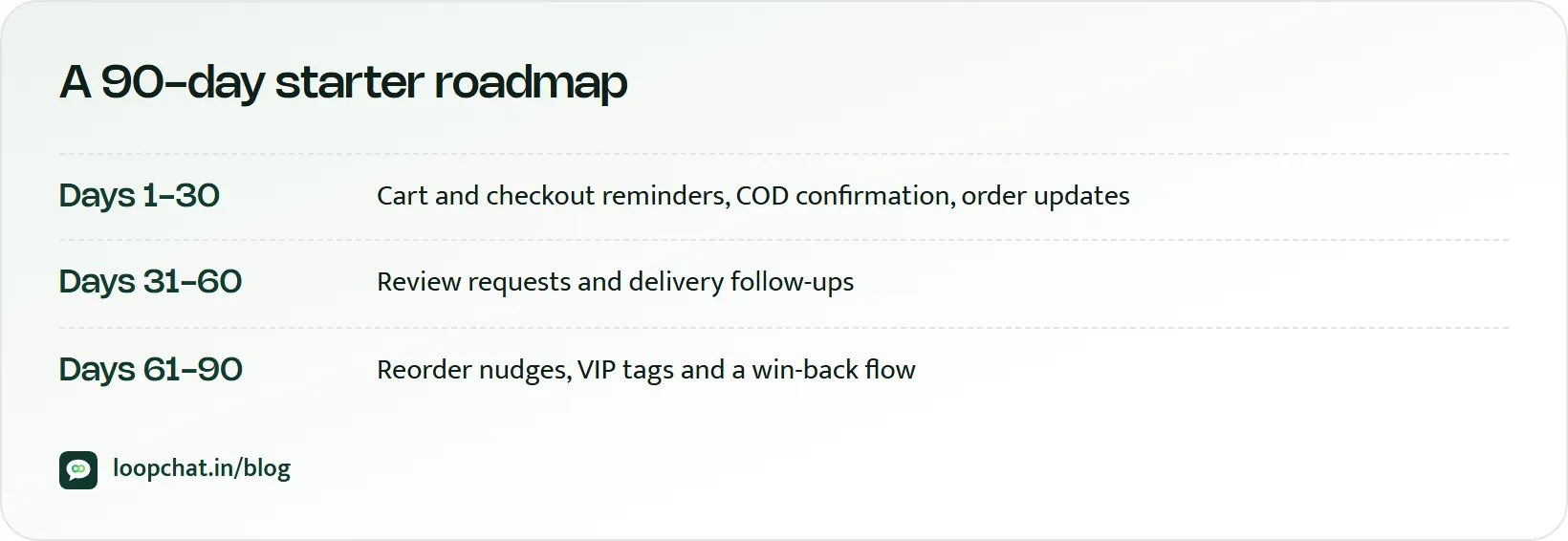
Review each workflow's number two weeks after launch before adding the next one.
How LoopChat helps
LoopChat connects to Shopify and WooCommerce on the Sprint plan and above, with ready automations for abandoned cart and checkout reminders, COD order confirmation, order and shipping updates and repeat-purchase nudges on WhatsApp. For everything else, such as review requests, VIP offers, cross-sell sequences and win-back, you can build your own with the no-code flow builder and journeys (triggers, waits and conditions), contact tags, and broadcasts to segments.
Support routing runs through a shared inbox for WhatsApp, Instagram and website chat, with AI agents that hand over to a person in one click. Reports cover funnels, campaigns and agents; A/B split journeys and revenue attribution are on the Turbo plan. Compare plans on pricing, then start a 15-day free trial or book a demo.
Sources
- Shopify Help Center: Shopify Flow (accessed October 2026)
- Shopify Help Center: Recovering abandoned checkouts (accessed October 2026)
- WhatsApp for Business: Business Policy (accessed October 2026)
- Meta for Developers: Pricing on the WhatsApp Business Platform (accessed October 2026)