Top 10 Shopify automation tools for Indian stores in 2026
A fair look at ten tools that take repetitive work off a Shopify team, from free native rules to WhatsApp, support, shipping and loyalty.
Contents
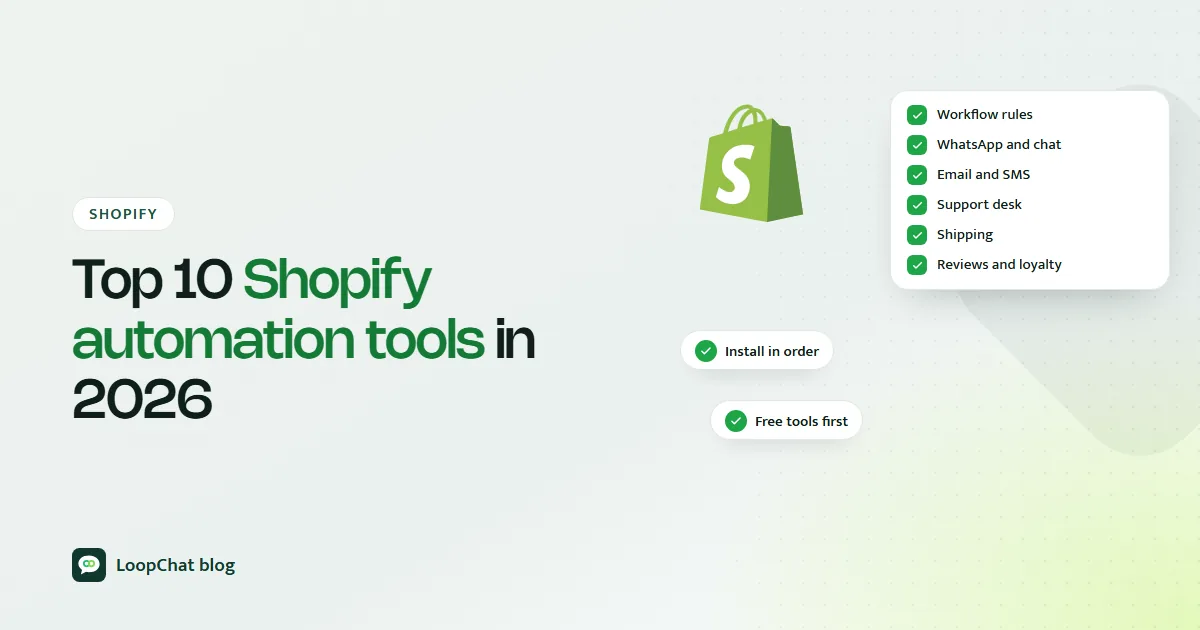
Shopify automation tools take a repeated task, such as tagging an order, chasing an abandoned checkout or asking for a review, and run it every time without anyone on your team touching it. The best place to start for most stores is Shopify Flow, because it is free and built in, and then add one specialist tool per real bottleneck. Below are ten tools worth knowing in 2026, what each one actually does according to its own website or Shopify App Store listing, and how to decide which to install first.
What counts as a Shopify automation tool
An automation tool watches for an event in your store and responds with an action. The event might be "order created", "inventory quantity changed" or "checkout started but not completed". The action might be adding a tag, sending a WhatsApp message, printing a shipping label or emailing a review request.
A healthy stack usually has one broad rule engine plus a few specialists, each owning a separate job.
Why automation matters more as you grow
At 20 orders a day, a founder in Jaipur can confirm every cash-on-delivery order by phone and reply to every "where is my parcel" message personally. At 300 orders a day, that same work eats a full team's day, and mistakes creep in: a fake COD order ships, a delayed parcel never gets an update, a returning customer never hears from you again.
Indian stores feel this sooner than most because of COD. Every unconfirmed COD order is a possible return-to-origin, with shipping cost paid both ways. Automation that confirms orders, updates customers and nudges repeat purchases protects margin that manual work cannot keep up with.
How to pick the right tools
Start with the problem, not the app store. Ask which manual task is costing you the most time or money right now. For a skincare brand in Kochi it might be support volume after a sale. For a snacks brand in Indore it might be COD orders that never get collected.
Then judge each candidate on three things:
- Job fit. Does it solve that one job well without forcing you to rebuild your marketing or support setup around it? Broad suites and focused tools trade off differently here, as our comparisons of LoopChat vs Bitespeed and LoopChat vs Kwik Engage show.
- Pricing model. Flat monthly fees, volume tiers (orders, tickets, shipments, profiles) and usage charges all grow differently as you scale. Work out what you would pay at double your current volume.
- Overlap. Two apps both sending cart reminders, or both tagging orders, will fight each other and confuse customers. One job, one owner.
The ten tools
We start with Shopify Flow because it is free and native, so almost every store should set it up first. After that the order follows a typical growth path rather than a ranking. Pricing is as listed on each official page as of October 2026, in the vendor's own currency.
1. Shopify Flow: native store rules
Shopify Flow is Shopify's own free automation app, available on the Basic, Grow, Advanced and Plus plans. You build workflows from a trigger (for example "order created" or "product variant inventory quantity changed"), optional conditions, and actions such as tagging orders, alerting staff or updating metafields. The App Store listing mentions hundreds of workflow templates and connections to tools like Slack, Google Sheets and Klaviyo.
Two details worth knowing: the Send HTTP Request action is limited to Grow, Advanced and Plus, and you can ask Sidekick, Shopify's assistant, to draft a workflow from a plain-language description, which you then review and switch on yourself.
2. LoopChat: WhatsApp recovery, COD confirmation and retention
LoopChat is our own product, so weigh it accordingly. It connects Shopify (and WooCommerce) to WhatsApp, Instagram and website chat. Automations cover abandoned cart and checkout reminders, COD order confirmation, order and shipping updates, and reorder nudges, alongside a shared team inbox, broadcasts and AI replies in English, Hindi and Hinglish. Shopify automations are on selected plans; see LoopChat pricing. It fits stores whose customers prefer WhatsApp automation to email. To see how it stacks up against other WhatsApp-first tools, read our comparisons of LoopChat vs Interakt and LoopChat vs Zoko.
3. Klaviyo: email and SMS flows
Klaviyo runs email and SMS campaigns and flows, such as welcome emails, abandoned cart and win-back, triggered by customer profile data. Its free plan covers up to 250 active profiles and 500 email sends a month, plus a small monthly allowance for mobile messages. Paid plans scale with profile count; the pricing page builds an estimate rather than listing one price. We compare it directly with a WhatsApp-first tool in LoopChat vs Klaviyo.
4. Gorgias: support automation
Gorgias is an ecommerce helpdesk that puts email, chat, social, SMS and voice in one inbox and lets agents edit, refund and cancel Shopify orders inside a ticket. Pricing is based on monthly ticket volume rather than seats, starting at $10 a month for 50 tickets, with its AI Agent charged per interaction it handles. It earns its place once support volume is heavy.
5. ShipStation: shipping and fulfilment
ShipStation handles bulk label printing, rates across many carriers and rules to batch, tag and route orders across sales channels. There is no permanent free plan; it offers a 30-day free trial, and the Starter plan begins at $14.99 a month for 50 shipments, scaling with shipment volume. Many Indian stores use a domestic shipping aggregator instead.
6. Zapier: connecting everything else
Zapier links Shopify to apps that do not talk to each other natively, with Shopify triggers like "new order", "new paid order" and "new customer". The free plan includes 100 tasks a month with two-step Zaps; the Professional plan starts at $19.99 a month billed yearly. Use it for odd jobs like a daily orders sheet.
7. ReConvert: post-purchase upsells
ReConvert, listed as ReConvert Post Purchase Upsell, adds one-click upsells after checkout and on the thank-you page, plus product page and cart offers. The free plan covers up to 50 orders or $50 of upsell revenue, and paid Growth plans start at $9.99 a month. Note that checkout upsells need Shopify Plus.
8. Judge.me: review requests
Judge.me collects product and store reviews, including photos and videos, and can automate review requests after fulfilment or delivery. It has a forever-free plan with unlimited reviews; the Awesome plan at $15 a month adds features such as automatic reminders and AI review summaries, replies and translations. It is a reviews app, not a loyalty programme.
9. Smile.io: loyalty and referrals
Smile.io runs points, referral and VIP programmes. A free plan covers up to 200 monthly orders with points and referrals; Essential is $15 a month, and VIP tiers start on the Growth plan at $199 a month. It integrates with tools like Klaviyo and Judge.me and offers Shopify Flow triggers from Essential up.
10. Stockful: inventory forecasting
Shopify retired its Stocky app on 31 August 2026, which pushed many stores to look for forecasting elsewhere. Stockful forecasts demand per SKU, suggests reorder points and lets you raise purchase orders. Plans start at $19.99 a month for up to 2,000 SKUs and one location, and it offers Shopify Flow triggers.
Quick comparison
| Tool | Main job | Starting price (as listed) |
|---|---|---|
| Shopify Flow | Store rules | Free |
| LoopChat | WhatsApp recovery, COD, retention | See pricing |
| Klaviyo | Email and SMS flows | Free up to 250 profiles |
| Gorgias | Support helpdesk | $10/month |
| ShipStation | Shipping labels | $14.99/month |
| Zapier | Cross-app links | Free, 100 tasks/month |
| ReConvert | Post-purchase upsell | Free up to 50 orders |
| Judge.me | Reviews | Free |
| Smile.io | Loyalty | Free up to 200 orders |
| Stockful | Inventory forecasting | $19.99/month |
What to install first
Install Shopify Flow on day one and use a template to tag high-value or risky orders.
After that, pick the tool that fixes your most expensive leak. If COD returns and unanswered "order status" messages are hurting, a WhatsApp tool with order confirmation and updates usually pays back fastest. If abandoned checkouts are the problem, read our guide to Shopify abandoned cart recovery before choosing.
Building your stack in order
A sensible sequence for most growing Indian stores:
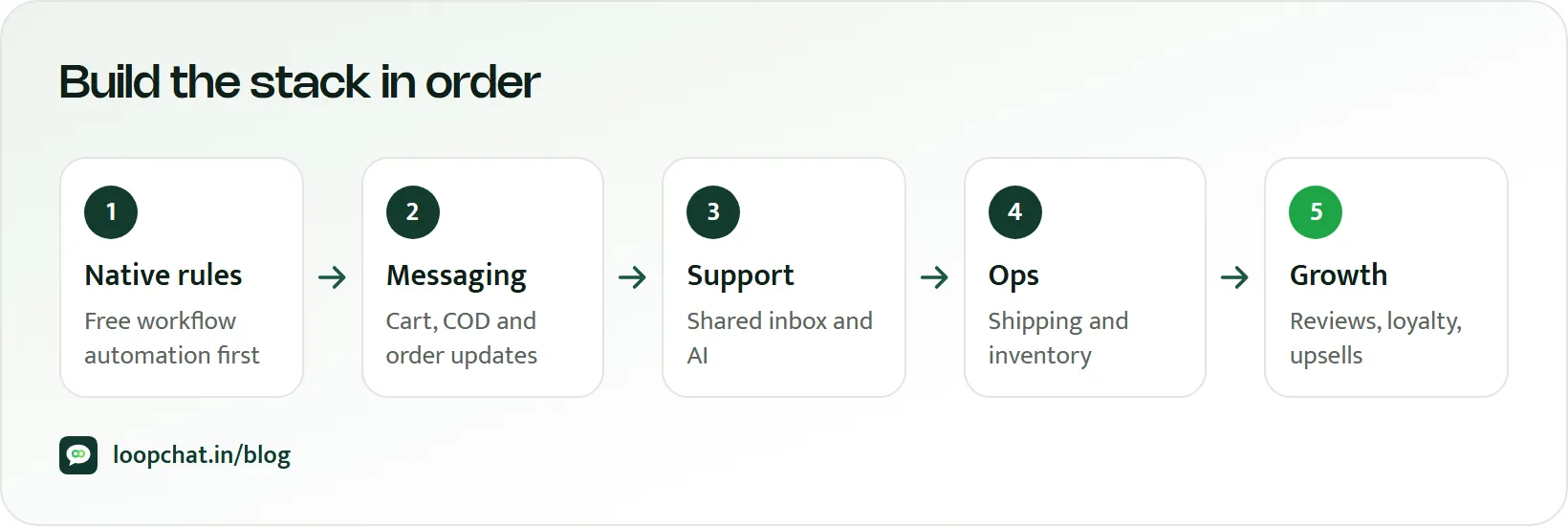
- Shopify Flow for internal rules and tagging.
- One customer messaging layer for recovery and retention (WhatsApp, email, or both, with each owning different messages).
- A helpdesk or shared inbox once support volume needs more than one person.
- Reviews and loyalty once you have a base of repeat buyers.
- Inventory forecasting and Zapier as operations get more complex.
Before switching any automation on, test it on a single order, set frequency limits so nobody receives five messages in a day, and check that no other app already does the same job. For more on that, see our post on Shopify workflow automation.
Frequently asked questions
What is the best automation tool for Shopify?
There is no single best tool, because each one owns a different job. For most stores Shopify Flow is the right first install since it is free and native. After that, choose the specialist that fixes your biggest manual task, whether that is WhatsApp recovery, support, shipping or loyalty.
Is Shopify Flow enough for automation?
Flow is excellent for internal rules: tagging, alerts, inventory and order handling. It is not a customer messaging platform, so you will still need a separate tool for WhatsApp or email recovery journeys, a support inbox, or a loyalty programme as you grow.
How much do Shopify automation tools cost?
It ranges from free (Shopify Flow, and free tiers of Klaviyo, Zapier, ReConvert, Judge.me and Smile.io) to monthly fees that rise with orders, tickets, shipments, SKUs or profiles. Price each tool at double your current volume before committing.
Can automation increase sales on Shopify?
It can, mainly by making sure follow-ups that were being skipped actually happen: cart reminders, order confirmations, review requests and reorder nudges. Results depend on your products, audience and offer, so measure each automation against a period without it rather than relying on industry averages.
How LoopChat helps
LoopChat connects your Shopify or WooCommerce store to WhatsApp, Instagram and web chat. It runs abandoned cart and checkout reminders, COD order confirmation, order and shipping updates and reorder nudges, and puts every conversation in one shared inbox where AI replies in English, Hindi and Hinglish and hands over to a person in one click.
Plans are billed quarterly, half-yearly or yearly in rupees, and Meta's WhatsApp message charges are separate (estimate them with our WhatsApp pricing calculator). You can start a 15-day free trial with no card, or book a demo.
Sources
- Shopify Help Center: Shopify Flow (accessed October 2026)
- Shopify Help Center: Create a workflow (accessed October 2026)
- Shopify Help Center: Flow triggers (accessed October 2026)
- Shopify App Store: Shopify Flow (accessed October 2026)
- Shopify Help Center: Stocky (accessed October 2026)
- Klaviyo: Pricing (accessed October 2026)
- Shopify App Store: Klaviyo: Email Marketing & SMS (accessed October 2026)
- Gorgias: Pricing (accessed October 2026)
- Shopify App Store: Gorgias: AI Helpdesk & Chat (accessed October 2026)
- ShipStation: Pricing (accessed October 2026)
- Shopify App Store: ShipStation Orders & Inventory (accessed October 2026)
- Zapier: Pricing (accessed October 2026)
- Zapier: Shopify integrations (accessed October 2026)
- Shopify App Store: ReConvert Post Purchase Upsell (accessed October 2026)
- Shopify App Store: Judge.me Product Reviews App (accessed October 2026)
- Smile.io: Pricing (accessed October 2026)
- Shopify App Store: Stockful Inventory Management (accessed October 2026)