Shopify abandoned cart vs abandoned checkout: what is the difference?
They sound the same, but Shopify records, reports and recovers them differently. Knowing which is which changes how you follow up.
Contents
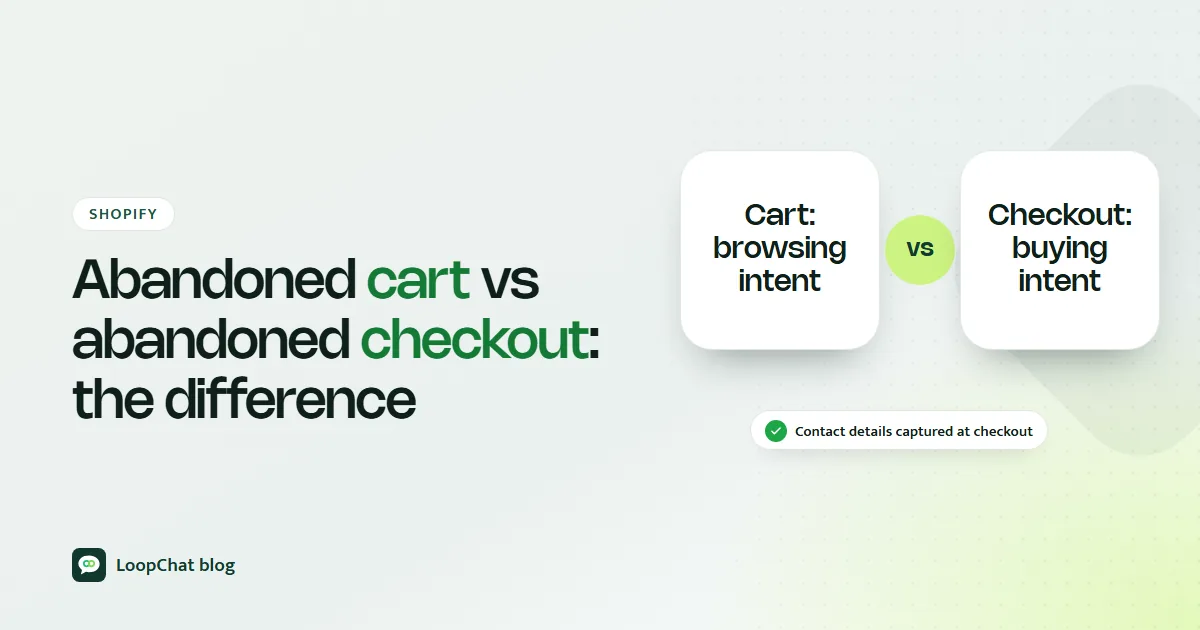
An abandoned cart is a shopper who added products but never clicked Checkout. An abandoned checkout is a shopper who started checkout and entered their email, then left before paying. Shopify records, reports and recovers the two differently, so treating them as one thing means you misread your numbers and send the wrong message to both groups.
The short version
| Point | Abandoned cart | Abandoned checkout |
|---|---|---|
| Where they stop | Before clicking Checkout | After entering checkout details |
| Typical intent | Browsing, comparing, saving for later | Close to buying, something stopped them |
| What you usually have | Often nothing, if they are anonymous | Their email and the checkout itself |
| Shopify report | Session counts in analytics | Orders > Abandoned checkouts |
| Shopify automation | Recover abandoned cart, for known subscribed customers | Recover abandoned checkout |
What counts as an abandoned cart
A shopper in Indore adds two cotton kurtas and a dupatta to the cart, looks at the total, and closes the tab. That is an abandoned cart. People do this for plenty of reasons: comparing prices across marketplaces, using the cart as a wishlist, checking what delivery would cost, or simply getting distracted.
The key point is data. If the shopper is not signed in or otherwise known to your store, Shopify has no email or phone number to contact them on. You can see that a session added to cart, but not who it was.
What counts as an abandoned checkout
Now suppose the same shopper clicks Checkout, types their email, gets as far as the delivery or payment step, and leaves. According to Shopify's help centre, a checkout is treated as abandoned when it stays incomplete for more than ten minutes after the customer has entered their email. It then appears under Orders > Abandoned checkouts in your admin.
This group got further. They gave you contact details, saw the delivery cost, and maybe tried to pay. Something specific stopped them, and that something is often fixable.
How they differ in practice
Where the shopper stops
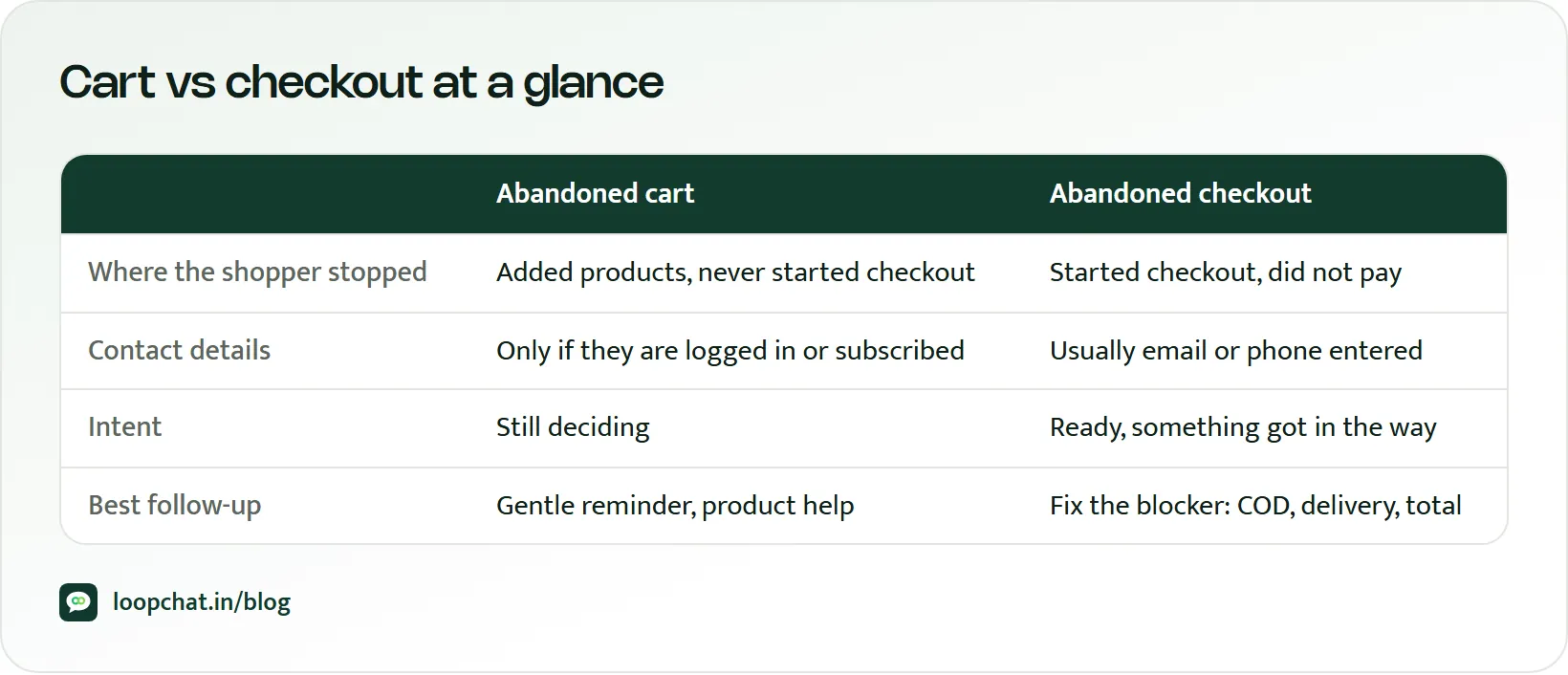
Cart abandonment happens on the product page or the cart, before checkout begins. Checkout abandonment can happen at any point inside checkout: the contact step, the address and pincode step, the delivery options, or the payment screen.
What Shopify knows about them
For an abandoned checkout, Shopify keeps a record with the customer's email, a timeline of payment events, and columns showing whether a recovery email was sent and whether the checkout was recovered. Each record comes with a link that reopens the checkout.
A few details from Shopify's documentation are worth knowing. Anyone who opens that recovery link can continue the checkout, and you cannot disable or expire the link once sent, so only send it to the shopper who left it. Abandoned checkouts older than three months are deleted automatically. And recovery covers only the Online Store and Buy Button channels, not POS or third-party channels.
For an anonymous abandoned cart, there is usually no personal record at all.
How likely they are to come back
Checkout abandoners are generally the warmer group: they had decided enough to start paying. Cart abandoners are a much bigger pool but convert back at lower rates, because many were never close to buying. That does not mean ignoring them; it means expecting less and spending less per recovery. Treating them as two pools is one of the simpler ways to grow Shopify revenue from the traffic you already have.
Where each shows up in reports
Checkout abandonment has its own list in your admin. Cart abandonment does not. To see the cart stage, use Shopify's analytics, which count sessions with cart additions, sessions that reached checkout and sessions that completed checkout. The gap between the first two is your cart abandonment; the gap between the last two is your checkout abandonment. Watching both tells you whether your problem is on the cart page or inside checkout.
Why one flow for both does not work
Many stores run a single "abandoned cart" message for everyone. It fails both groups. A browsing shopper who gets "Last chance, complete your order now!" an hour after looking at a cart feels pushed. A shopper whose payment failed at the last step gets a vague nudge that ignores the real problem.
Cart abandoners need interest and reassurance. Checkout abandoners need the specific obstacle removed: the delivery charge explained, the payment issue sorted, or the COD question answered. For Indian stores those obstacles have local causes, which we cover in why customers abandon carts in India. Build separate flows.
Recovering abandoned carts
For anonymous cart abandoners, your options are mostly indirect:
- Retargeting and on-site prompts. Retargeting ads and exit-intent prompts are often the only way to reach someone you cannot identify. Collecting a WhatsApp number or email earlier, for example through a back-in-stock alert or a sign-up with a clear opt-in, grows the group you can contact later.
- Automations for identified shoppers. Shopify's Messaging app includes a recover abandoned cart template, sent by email or SMS. Like its other marketing automations, it sends only to customers subscribed to email marketing by default. If you use another tool (our roundup of Shopify cart recovery apps compares several), check that it genuinely tracks the add-to-cart event rather than relabelling checkout data.
- A softer angle and timing. Remind them what they liked, answer common objections such as delivery time or returns, and skip the "last chance" tone. Wait a little longer than you would for a checkout.
Recovering abandoned checkouts
This is where the strongest recovery happens, because you know who the shopper is and roughly why they stopped.
- Shopify's built-in email. Shopify's abandoned checkout automation emails the shopper after the "Send after" delay you choose (a newly created automation defaults to a 10-hour wait), and it can be set to reach all customers, not only subscribers. Note that it is not sent when the shopper entered a phone number instead of an email, so check whether your checkout allows that.
- Add WhatsApp. For Indian D2C stores, a WhatsApp message alongside email adds a channel many shoppers use every day, and lets them reply with "Is COD available for 682020?" instead of leaving silently. The shopper must have opted in, and Meta classes cart reminders as marketing messages, so each one needs an approved marketing template; our tips on getting WhatsApp templates approved help here.
- Timing. Test your own timing rather than copying anyone else's: send the first reminder while the shopper still remembers the product, a second one the next day that answers the most likely doubt (delivery date, returns, COD), and stop after a third. Compare a few gaps and keep whatever recovers more orders without raising opt-outs. Our abandoned cart recovery playbook walks through the full sequence.
Mistakes to avoid
- One flow for both groups. It is too pushy for browsers and too vague for near-buyers.
- Same message, same timing. Checkout abandoners should hear about their actual obstacle; cart abandoners need lower pressure.
- Assuming your emails cover everyone. Shopify's abandoned checkouts list does not include cart-stage drop-offs, and its marketing automations skip non-subscribers by default. Check who you are actually reaching.
Getting the distinction right changes how you read your funnel, which channels reach which shoppers, and whether your recovery setup has silent gaps. If the cart stage is your biggest leak, start with our guide on reducing cart abandonment on Shopify.
Frequently asked questions
Does Shopify track abandoned carts or only abandoned checkouts?
Shopify's Orders > Abandoned checkouts list covers checkouts only. Cart-stage activity appears in analytics as session counts, and the Messaging app has a recover abandoned cart automation for customers it can identify, sent to email marketing subscribers by default.
When does Shopify mark a checkout as abandoned?
When it remains incomplete for more than ten minutes after the customer has entered their email information, according to Shopify's help centre.
How long does Shopify keep abandoned checkouts?
Abandoned checkouts older than three months are deleted from the admin automatically. To keep one, Shopify suggests creating a draft order with the same details.
How LoopChat helps
LoopChat connects to your Shopify or WooCommerce store and runs separate WhatsApp reminders for abandoned carts and abandoned checkouts, so each group gets the right message and timing. Its no-code journeys let you set waits and conditions, and replies come into a shared team inbox where an AI agent can answer delivery, COD and returns questions before a person takes over. See how it fits a store on our ecommerce page and WhatsApp automation page.
Shopify connections are part of the Sprint and Turbo plans; details are on pricing. Start a 15-day free trial or book a demo.
Sources
- Shopify Help Center: Recovering abandoned checkouts (accessed October 2026)
- Shopify Help Center: Create marketing automations (accessed October 2026)
- Shopify Help Center: Migrate to the new abandoned checkout automation (accessed October 2026)
- Shopify.dev: ShopifyQL sessions schema (accessed October 2026)
- Meta for Developers: Template categorization guidelines (accessed October 2026)
- Meta for Developers: Get opt-in for WhatsApp (accessed October 2026)