How to reduce RTO in Shopify stores: a practical playbook for Indian D2C brands
Return-to-origin orders cost you shipping twice and earn nothing. Here is how to stop them at checkout, before dispatch and at the doorstep.
Contents
- What RTO actually means for a Shopify store
- Where high RTO comes from
- What an RTO really costs you
- Set up Shopify checkout to keep risky orders out
- Confirm intent before you ship
- Talk to the customer before the courier does
- Address and pincode controls
- Fix the product and offer side
- A five-step RTO workflow
- The numbers to track
- Mistakes that keep RTO high
- RTO checklist for Shopify
- Frequently asked questions
- How LoopChat helps
RTO (return to origin) is the order that leaves your warehouse, never reaches the customer and comes back to you, usually with shipping paid in both directions. You reduce it in three places: at checkout, by keeping risky orders out; after purchase, by confirming the customer really wants the parcel; and before delivery, by making sure they are ready to receive and pay. This playbook walks through each stage for a Shopify store selling in India.
What RTO actually means for a Shopify store
An RTO is not the same as a return. A return happens after delivery: the customer has the product, changes their mind and sends it back. An RTO never gets that far. The courier tries to deliver, the customer refuses, is unreachable or the address cannot be found, and after the attempts run out the parcel travels back to you.
Picture a Pune skincare brand. A shopper in Indore orders a ₹1,299 serum on cash on delivery at 11 pm after watching a reel. Three days later, when it reaches the Indore hub, the impulse has passed. Nobody answers the delivery calls, and a week later the serum is back in Pune: shipped twice, packed once, and the ad that brought the customer in has produced nothing.
That is why RTO is a profit problem that starts at checkout, not only a logistics problem that starts at the courier hub. It sits next to cart abandonment as one of the two big leaks in an Indian D2C funnel (our abandoned cart recovery playbook deals with the other one), and the reasons behind both often overlap, as we cover in why customers abandon carts in India.
Why COD orders carry most of the risk
Cash on delivery removes the upfront commitment, which is why it lifts both orders and RTO. A prepaid customer loses something by refusing the parcel; a COD customer can say no at the door for free. In Shopify, COD is a manual payment method, so these orders stay unpaid until cash is collected: a promise, not a sale.
Where high RTO comes from
Most RTO traces back to a handful of causes:
- Low-intent or fake COD orders. Impulse buys, duplicate orders, prank or competitor orders, and accidental taps on "place order".
- Weak contact and address data. Shopify's default checkout does not require a phone number, and a free-text address field will accept almost anything.
- No check before shipping. If nobody confirms the order, every doubtful order goes straight to the courier.
- Failed delivery attempts. The customer is not home, switches their phone off, or lives in a pincode your courier struggles to serve.
- Expectation gaps. The kurta looked different in the photos, the size chart was unclear, or the price felt high once the parcel arrived, so the customer refuses it.
What an RTO really costs you
Count every line, because the true figure is always bigger than the shipping invoice:
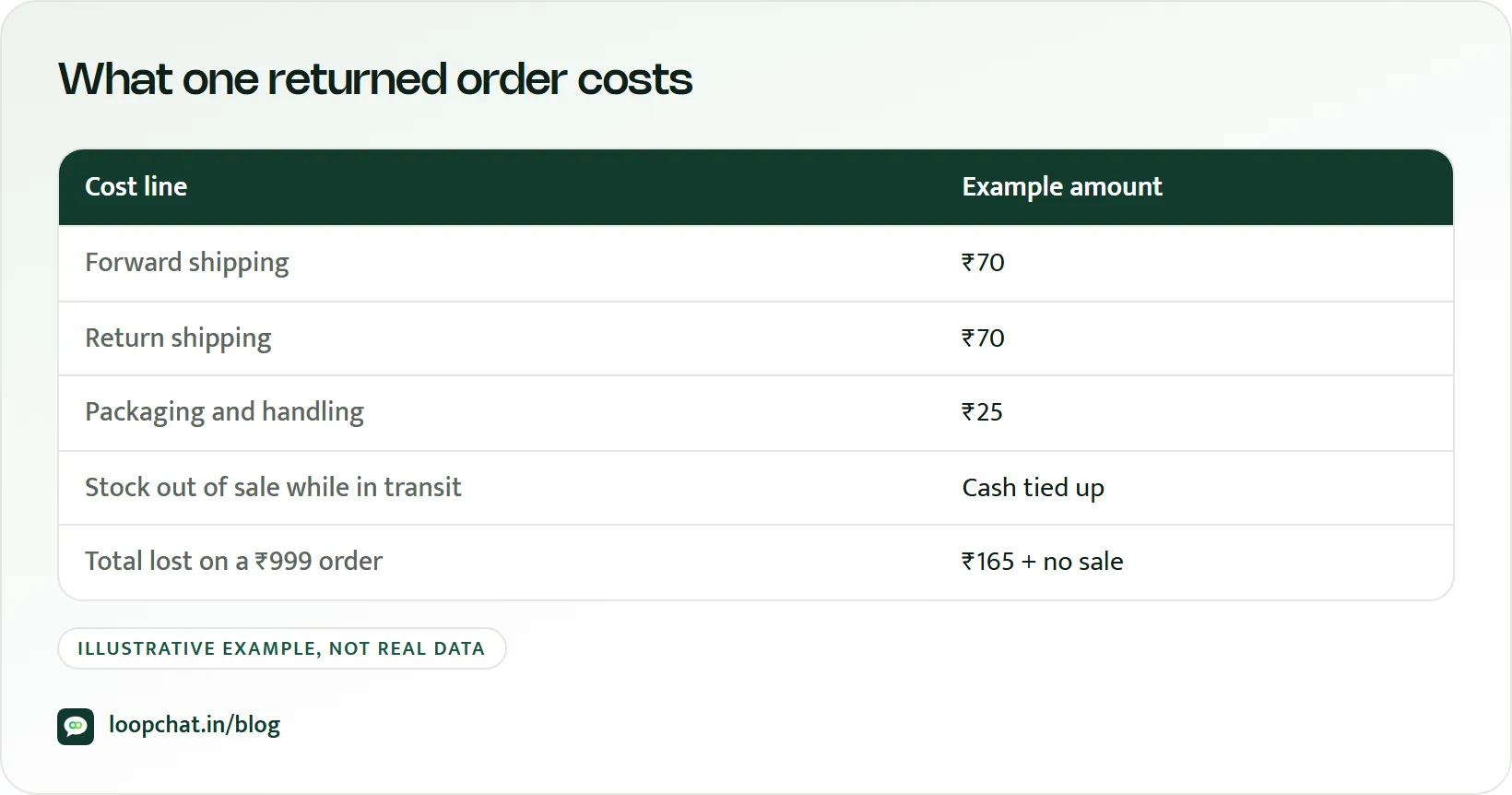
| Cost | What you lose |
|---|---|
| Forward shipping | Paid even though the order failed |
| Return shipping | Usually charged on top |
| Packing and fulfilment | Boxes, labels, staff time |
| Working capital | Stock stuck in transit for one to two weeks |
| Ad spend | The click that created the order earned nothing |
| Damage | Returned parcels are not always resaleable |
Real return on ad spend is measured on delivered orders, and saving an order you already have is almost always cheaper than buying a new one.
Set up Shopify checkout to keep risky orders out
Start with the settings you control directly:
- Require a phone number. Shopify's shipping address phone field can be set to Don't include, Optional or Required, and Optional is the default on new stores. Set it to Required so the courier and your messages can always reach the customer.
- Add address rules. Use a checkout or address app to insist on a flat number, landmark and valid six-digit pincode.
- Restrict COD where it hurts. Shopify's payment customisation functions can hide cash on delivery based on cart total, and apps built on them offer rules by product, region or customer. Shopify notes that plan and geographical restrictions apply, so check what your plan supports.
- Ask for commitment on risky orders. A small COD handling fee, a minimum order value for COD, or a part-prepaid booking amount for high-value carts all filter out casual orders.
- Tag orders by risk before dispatch. First-time COD buyer, high cart value, pincode with past RTO: tag these so they get extra checks rather than going straight to packing.
Confirm intent before you ship
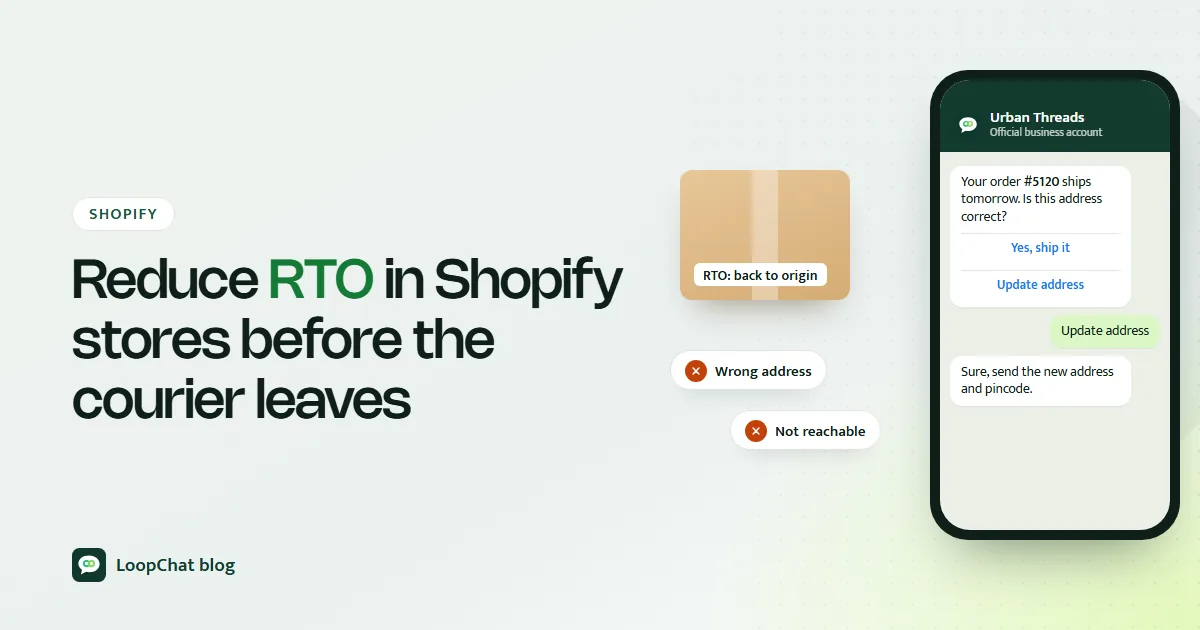
The biggest lever is a confirmation step between checkout and dispatch: OTP at checkout, a WhatsApp message with a one-tap Confirm button, SMS as a fallback, and automated or manual calls for the riskiest orders. Orders still unconfirmed after a window you define are held or cancelled, not shipped.
On WhatsApp, an order confirmation fits Meta's utility template category, and utility templates can carry quick-reply buttons, so confirming takes one tap. Our guide to getting WhatsApp templates approved covers picking that category correctly. We go deep on choosing between these methods, retry logic and what the message should say in how to reduce COD failures.
Talk to the customer before the courier does
Customers who know a parcel is coming are far easier to deliver to. Set up four messages:
- Order confirmation. Product, price, address and a confirm button. Wrong pincodes and missing flat numbers get caught here.
- Packing update. A short note that keeps the purchase fresh in their mind.
- Dispatch message. Courier name, tracking link and expected delivery date.
- Delivery-day reminder. "Your order arrives today. Please keep ₹1,299 ready or pay by UPI to the delivery executive if available." This is the message that prevents "I didn't have cash" refusals.
Our guide to WhatsApp automation covers how to trigger messages like these from order events, and our list of Shopify workflows worth automating shows where they fit alongside the rest of your store operations.
Address and pincode controls
Many failed deliveries come down to addresses like "Near Hanuman temple, main road, Kochi". No house number, possibly three temples, and the courier gives up.
- Validate at entry. Minimum length, a mandatory house or flat number, a landmark and pincode checks.
- Ask, do not guess. When an address looks incomplete, message the customer before you ship.
- Track RTO by pincode. Group delivered and RTO orders by pincode every month. A few pincodes usually cause much of the problem.
- Act on repeat offenders. Try another courier, require address confirmation, or make those pincodes prepaid only.
- Write a risk policy. Score orders on pincode history, cart value and past accepted deliveries, and decide in advance what each score triggers.
Fix the product and offer side
Some RTO is created on the product page. High-ticket items, size-sensitive categories like apparel and footwear, and impulse buys like phone accessories from an ad all carry more risk.
- Price for commitment. Bundles and COD minimums attract buyers who have thought it through.
- Reward prepaid. A small discount, free shipping or a sample for paying by UPI. WhatsApp payments and payment links let customers switch after checkout too. Before you lean harder on UPI, check what UPI merchant charges could mean for your larger orders.
- Make the page honest. Real photos, a clear size chart and genuine reviews prevent "not what I expected" refusals.
- Know when to say no to COD. Very high-value orders, first-time buyers in high-RTO pincodes and products with frequent mismatch complaints.
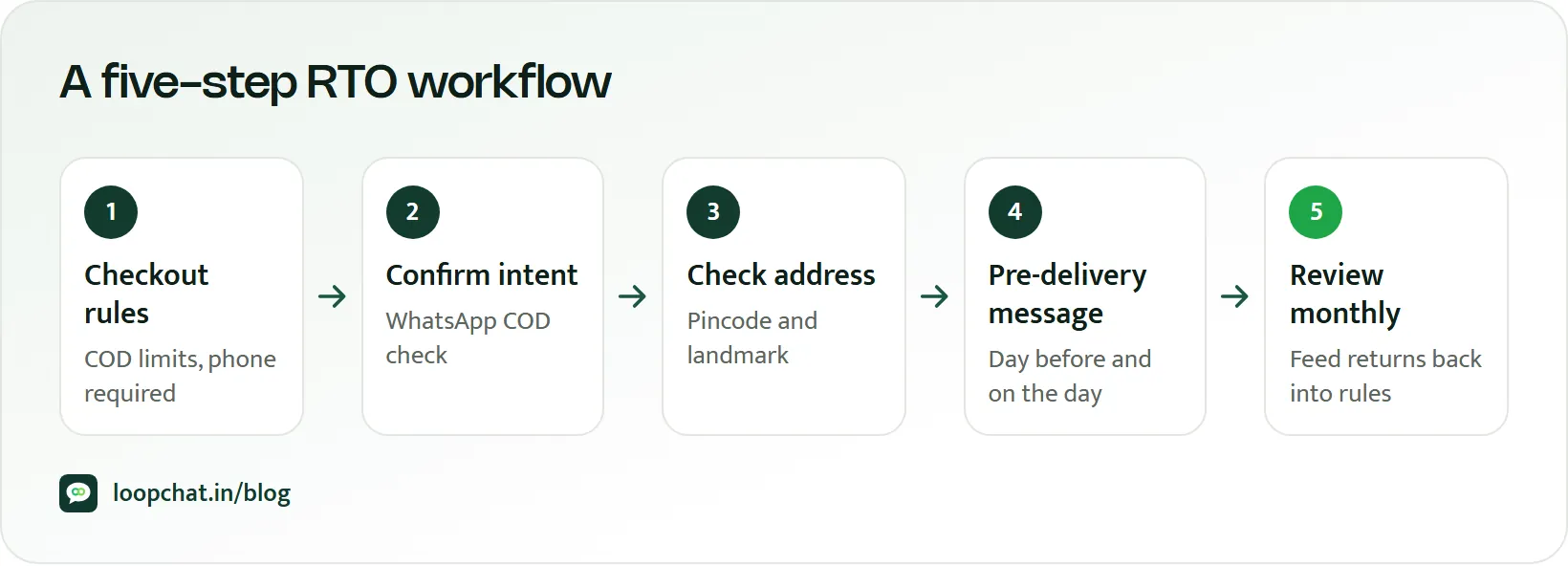
A five-step RTO workflow
- Capture a valid phone number and complete address at checkout.
- Confirm intent right after purchase, with a deadline.
- Remind before dispatch and on delivery day.
- Add a call for orders tagged high risk.
- Tag outcomes (confirmed, cancelled, delivered, RTO with reason) and review monthly.
The numbers to track
- RTO rate = (orders returned to origin ÷ orders shipped) × 100. Always split it into COD and prepaid.
- COD confirmation rate: confirmed COD orders as a share of COD orders placed.
- Delivered order rate: what share of shipped orders actually reached customers.
- COD-to-prepaid conversion: how many COD orders switched to UPI or another prepaid method.
- Revenue saved: fewer RTOs multiplied by your average cost per RTO.
Mistakes that keep RTO high
- Offering COD to everyone, on every product, in every pincode.
- Confirming orders a day late, after intent has cooled.
- Ignoring the same pincodes in your RTO list every month.
- Throwing discounts at the problem instead of fixing intent and addresses.
- Not recording why each delivery failed.
RTO checklist for Shopify
| Stage | Check |
|---|---|
| Checkout | Phone required, address rules, COD limits, COD fee or minimum, risk tags |
| Confirmation | Message right after purchase, deadline, extra step for high risk, clear content |
| Shipping | Packing update, dispatch message, delivery-day reminder, high-RTO pincode rules |
| Reporting | Monthly RTO split by COD and prepaid, RTO by pincode, reason codes, revenue saved |
Review it every month: let last month's returned parcels decide this month's COD rules, pincode list and confirmation messages.
Frequently asked questions
What is the difference between RTO and a return?
An RTO is an order that was never delivered and went back to the seller. A return is an order the customer received and then sent back. Both cost money, but RTO is usually preventable before the parcel is shipped.
Should I turn off COD to stop RTO?
Usually not completely, because many Indian shoppers still prefer it, especially for a first order with a new brand. Limit COD by cart value, product and pincode, confirm every COD order and reward customers who pay upfront.
How quickly should I confirm a COD order?
As soon as the order is placed. Intent is highest in the first minutes, and a confirmation sent the next day gets fewer responses. Decide on a fixed window, then hold or cancel orders that stay unconfirmed.
How LoopChat helps
LoopChat connects to your Shopify or WooCommerce store and sends COD order confirmations, order updates and shipping updates on WhatsApp automatically, using the official WhatsApp Business Platform. Customers can confirm in one tap or reply with an address correction, and those replies land in a shared team inbox where your team can fix the order before it ships. You can also send payment links to nudge COD buyers to prepaid.
Store connections and flows are on the Sprint and Turbo plans (see pricing). Meta's own per-message charges apply separately (our explainer on the October 2026 WhatsApp pricing change covers how they work), and you can estimate them with the WhatsApp pricing calculator. To see it on your own store, start a 15-day free trial or book a demo.
Sources
- Shopify Help Center: Editing the checkout form options (accessed October 2026)
- Shopify Help Center: Manual payment methods (accessed October 2026)
- Shopify.dev: Create the payments function (accessed October 2026)
- Meta for Developers: Utility templates (accessed October 2026)
- Meta for Developers: WhatsApp Business Platform pricing (accessed October 2026)