Repeat purchase strategies that raise customer lifetime value for Shopify stores
The second order is where lifetime value is won or lost. Here is how to time it, segment for it and measure it.
Contents
- Why the first order rarely pays for itself
- The second order is the expensive gap
- Four reasons a happy customer never orders again
- Strategies that move customers to the next order
- Segment by what customers did, not who they are
- Numbers that tell you LTV is moving
- Your repeat purchase checklist for this month
- How LoopChat helps
Customer lifetime value grows in one place above all: the gap between a customer's first and second order. If you shorten that gap and make the second order feel obvious, the third and fourth follow far more easily. The strategies below cover what to send, when to send it, and which customers should get which message.
Why the first order rarely pays for itself
For most Indian D2C stores, the first order is bought. Between the cost of a Meta or Google ad click, a launch discount, COD handling and the occasional return to origin, the margin on order one is often thin or gone.
The second order is different. You already paid to acquire that customer, so every repeat order carries close to its full margin. That is why lifetime value is the lever to pull when acquisition gets expensive: you earn more from customers you already have instead of spending more to find new ones. If you want ideas on the acquisition side, our post on growing Shopify revenue without more ad spend covers it.
The second order is the expensive gap
A customer with three orders has formed a habit. A customer with one order has only tried you, and if they hear nothing useful afterwards, the trial is all you get. The job of a repeat purchase strategy is to carry people across that first gap while the first experience is still fresh. It is one part of the wider system covered in our guide to Shopify customer retention.
Four reasons a happy customer never orders again
- They forget you. A customer in Kochi who bought coconut-oil hair serum from you also follows forty other brands. Two months of silence and your name is gone.
- They do not know it is time. For consumables, customers rarely track when a pack will run out. They notice when it is empty, and then buy whatever is nearest.
- Nothing relevant reached them. A generic "Sale is live" message does not connect to the product they bought.
- The first experience wobbled. A late parcel, a confusing COD call or an unanswered question leaves just enough doubt to stop a second order. A clear COD confirmation step removes one of those wobbles.
Strategies that move customers to the next order
Use the first week to teach, not sell
Attention is highest right after the first purchase. Use it to make sure the product gets used well: how to apply the serum, how to store the masala so it stays fresh, which case fits which phone model. A customer who gets good results is your most likely repeat buyer. Add one pairing suggestion at the end, not five.
Keep order confirmations and shipping updates clean. On WhatsApp, Meta treats an order confirmation or shipping update as a utility template only if it contains nothing promotional. Add a discount or a cross-sell to that update and it becomes a marketing template (our guide to WhatsApp template approval explains the categories). Send education and pairing ideas as separate messages after delivery.
Time reminders to when the pack runs out
Replenishment reminders work when they arrive slightly before the customer runs out, not on a fixed monthly schedule. Work it out per product.
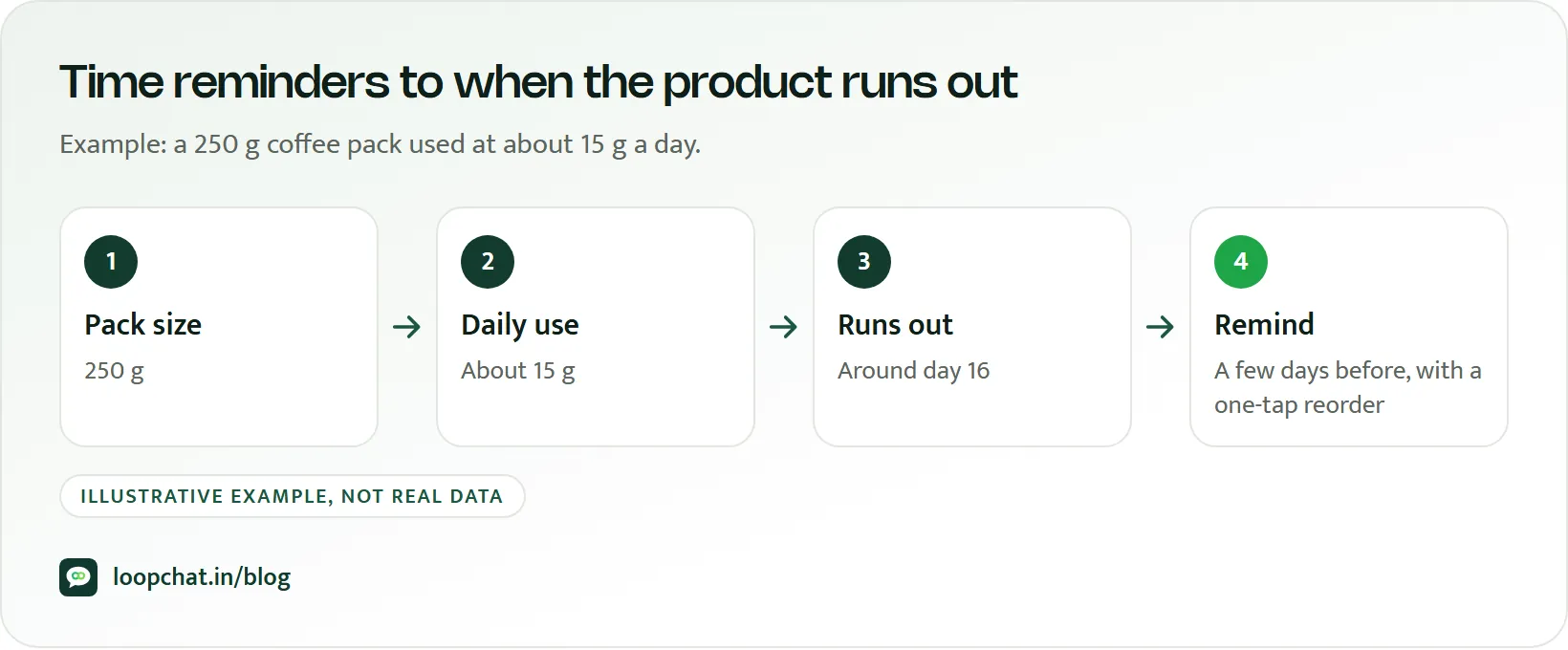
As an illustration: a 250 g bag of filter coffee used at about 15 g a day lasts roughly 16 days. A reminder around day 12 or 13 after delivery gives the customer time to reorder before the last cup. A 100 ml face wash used twice daily will last a different number of weeks, so it gets its own timing.
Then check your guess against real behaviour. Look at customers who have already reordered a product and note the typical gap between their orders. Use that gap, minus a few days for delivery, as your reminder point.
Win back by silence, not by date
A win-back message should fire when a customer has gone quiet for longer than their usual reorder gap, not on the first of every month. Someone who reorders every three weeks and has been silent for six is a real risk; someone who buys festive wear once a year is not.
Lead with something useful: a new variant of what they bought, a restock, a reply to a question they once asked. Keep the discount as the last step, not the first, so you do not train customers to lapse in order to get an offer.
Recommend the next logical product
Suggest products that follow from the first purchase. Bought a cleanser, offer the moisturiser from the same range. Bought a phone case, offer the matching screen guard for the same model. Bought a 200 g namkeen pack, offer the family size or a festive combo. A recommendation tied to a real purchase reads as help, not advertising.
Give third and fourth orders a reason to happen
Customers on their third or fourth order deserve something first-timers do not get: early access to launches, a free add-on, faster replies, or a simple thank-you from the founder. You do not need a full loyalty programme to start; our guide to customer loyalty strategies covers the bigger picture.
Segment by what customers did, not who they are
Age and gender tell you little about when someone will reorder. Behaviour tells you a lot.
| Segment | Who is in it | What they get |
|---|---|---|
| First-time buyers | One order, recently delivered | Usage tips, trust-building, one pairing idea |
| Due soon | Approaching their reorder window | Replenishment reminder with a one-tap reorder link |
| Overdue | Past their usual reorder gap | Win-back message, value first, offer last |
| Repeat VIPs | Three or more orders | Early access, perks, priority support |
The VIP group is usually the smallest and earns the most per customer, so protect it from over-messaging. In Shopify, you can build these segments with the customer segment editor, which includes filters for number of orders, last order date and products purchased. Our list of Shopify workflows worth automating shows where each of these fits.
One WhatsApp rule shapes all of this. Reorder nudges and win-backs are marketing messages, and WhatsApp may cap how many marketing templates a person receives from all businesses over a period, based on how they engage. Meta does not publish the number. A blocked send fails with error code 131049, and Meta advises waiting at least 24 hours before trying again. Fewer, better-timed messages to tighter segments simply get delivered more often, the same principle behind sending your first broadcast without hurting your quality rating.
Numbers that tell you LTV is moving
- Repeat purchase rate. One common way to measure it: customers with two or more orders in a period, divided by all customers who ordered in that period. Pick a window that fits your category and keep it fixed.
- Days from first to second order. If this number falls, your first-week messages and reminders are working.
- Revenue per customer at 90, 180 and 365 days. Compare cohorts by first-order month to see whether newer customers are worth more than older ones were at the same age.
- Results by segment. Track reminders, win-backs and VIP messages separately. A blended number hides which one is doing the work.
Your repeat purchase checklist for this month
- Read every message a customer receives in the week after their first order. Remove anything generic.
- Set a reminder point for each consumable product, based on usage and real reorder gaps.
- Trigger win-backs from each customer's usual gap, not a calendar date.
- Add at least one recommendation based on what the customer actually bought.
- Tag customers with three or more orders and give them a perk first-timers do not get.
- Review repeat purchase rate and days-to-second-order every month.
How LoopChat helps
LoopChat connects to Shopify and WooCommerce on the Sprint and Turbo plans and runs the messages this post describes on WhatsApp: order and shipping updates, COD order confirmation, abandoned checkout reminders and repeat-purchase or reorder nudges, with payment links so a customer can reorder and pay from the chat. The no-code flow builder handles the timing with triggers, waits and conditions, and on the Turbo plan you can A/B split journeys and see revenue attribution in reports.
Segments and tags drive WhatsApp drip marketing and broadcasts, while the shared inbox and AI agents answer the questions that come back. Meta's message charges are separate from your plan, and the pricing calculator shows what a campaign will cost. Start a 15-day free trial or book a demo to set up your first reorder flow.
Sources
- Meta for Developers: Template categorization (accessed October 2026)
- Meta for Developers: Per-user marketing template message limits (accessed October 2026)
- Shopify Help Center: Shopify-based customer segment filters (accessed October 2026)
- Shopify Help Center: Customers reports (accessed October 2026)